Electrical Upgrades to Prepare for Home Office & Remote Work
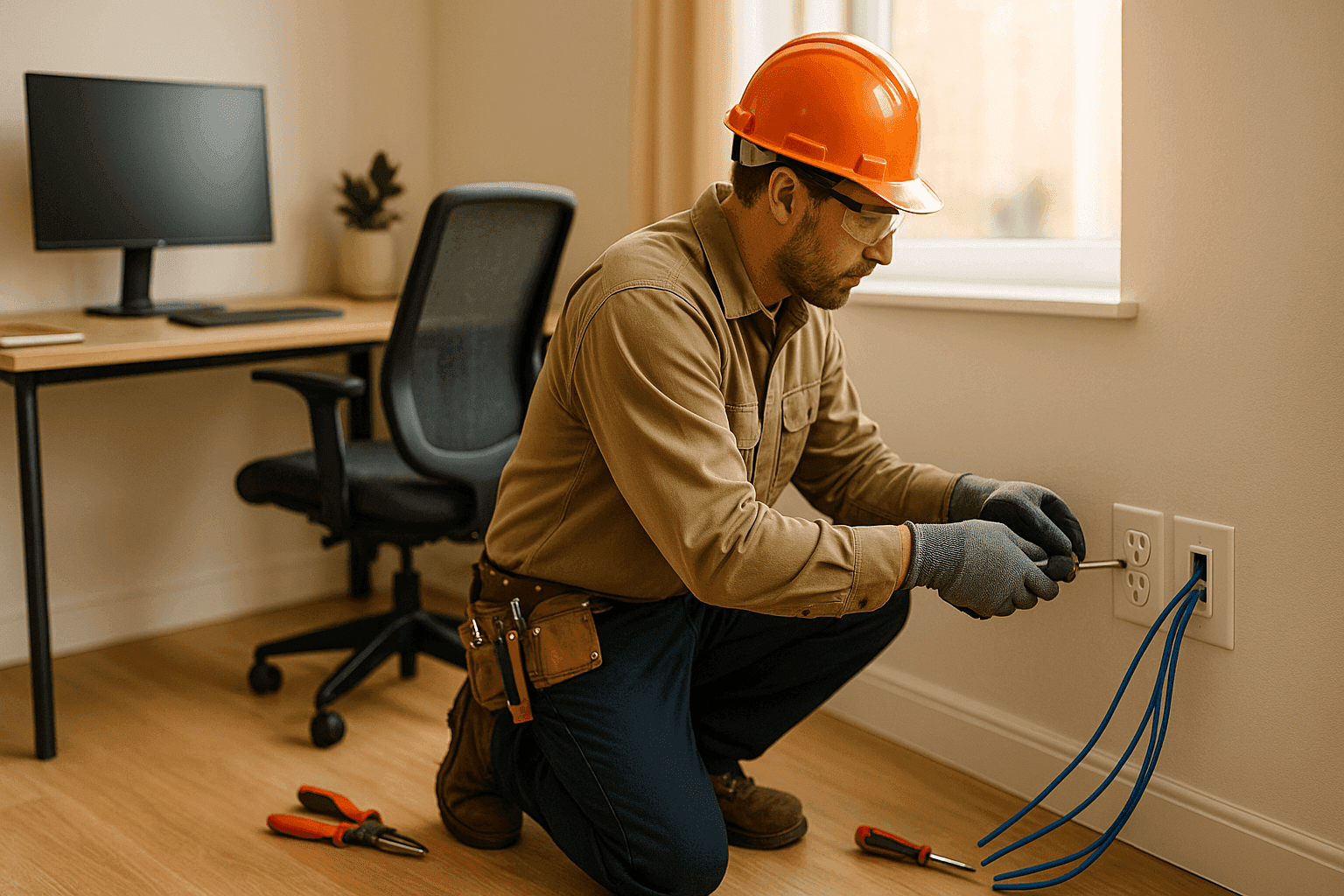
The lines between work and home have blurred. More people than ever are clocking in from their kitchen tables—or, ideally, a dedicated office space. But is your home’s wiring up to the task? If you’re plugging in more devices than ever, you could be setting yourself up for headaches—or hazards.
At Heintz Electric, we understand what it takes to power productivity safely. From custom installations to safeguarding your tech, we help homeowners prepare for the future of work—one outlet (and cable!) at a time.
Office Power Needs: The Modern Home Office
Think about your workspace. Laptop, monitor, printer, router, phone charger, desk lamp. Maybe a space heater in winter. It adds up quickly. Each device draws power, and not all circuits are built to handle the load.
Why does your home office need special attention?
- Computers and electronics are sensitive. Power fluctuations can mean lost work or damaged tech.
- Old wiring isn’t made for today’s demands. Outlets in older homes may be loose, ungrounded, or simply too few.
- Remote work is here to stay. A sturdy, organized setup boosts both safety and productivity.
Quick Safety Checklist
- Are your outlets warm to the touch?
- Do your breakers trip when you turn on multiple devices?
- Is your Wi-Fi slow because of poor cabling?
- Do you rely on extension cords or power strips for daily use?
- Are surge protectors overloaded?
If you answered “yes” to any of these, it’s time to rethink your setup.
Upgrade Options: What Your Home Office Might Need ⚡
Building a reliable workspace isn’t just about comfort. It’s about safety. Here’s how an electrician can help transform your home office:
1. Dedicated Circuits
A dedicated circuit acts like a private lane on the electrical highway—just for your office gear. No sharing with the kitchen blender or the washing machine. This means fewer overloads, less tripping, and more consistent power.
- When do you need one? If you run a desktop, multiple monitors, or other high-draw equipment, a dedicated circuit is a must.
- What’s involved? Running new wiring from your panel to your office. Clean, safe, and compliant.
2. Surge Protection
Lightning strikes. Grid hiccups. Sudden outages. Any of these can fry your expensive electronics in a flash.
- Whole-home surge protectors offer the best defense, installed right at your electrical panel.
- Point-of-use surge strips are a backup, but not a substitute for real protection.
The National Electrical Code (NEC 2020) now recommends surge protection for new homes and major upgrades. It’s not just smart—it’s standard.
3. Data Cabling & Connectivity
Remote work relies on smooth, stable internet. Wi-Fi is great, but hard-wired connections are faster and more reliable. Professional Phone, Internet & Data Cabling gets you there.
- Ethernet cabling gives you a direct line to your router. No more dropped calls or buffering.
- Cable management keeps cords tidy, safe, and out of sight.
4. Upgraded Outlets & Switches
- USB outlets mean fewer bulky adapters.
- Tamper-resistant receptacles (now code for new homes) protect kids and pets.
- Smart switches and dimmers help set the mood and save energy.
5. Lighting That Works as Hard as You Do
Glare, shadows, headaches—poor lighting saps your focus. Consider:
- LED task lighting that mimics daylight.
- Dimmable fixtures for video calls.
- Motion sensors to save power when you leave.
6. Backup Power Options
Storms happen. So do outages. A backup generator or uninterruptible power supply (UPS) keeps your work safe, even when the grid goes down.
Professional Installation: Why Call an Electrician?
DIY YouTube videos make it look easy. But electricity isn’t a hobby—it’s a hazard if you’re not trained. Here’s why professional installation matters:
- Safety first. Licensed electricians follow code (NEC, NFPA, and local standards). That means no shortcuts—or shocks.
- Code compliance. Permits and inspections keep your insurance valid and your home protected.
- Clean work. No holes in the wrong places. No spaghetti wiring behind your drywall.
- Future-proofing. A pro knows how to wire for today—and tomorrow. Adding outlets, data ports, or EV chargers later? No problem.
If you’re in the area and searching for Installations, we’re ready to help you design an office setup that works for you.
What Pros Do On Arrival
- Assess your panel’s capacity and wiring condition.
- Map out current and future device needs.
- Recommend upgrades that fit your space and budget.
- Handle permits and coordinate inspections if needed.
Signs You Need an Upgrade
How do you know it’s time to call in the professionals?
- Frequent breaker trips or dimming lights.
- Outlets that don’t hold plugs tightly.
- Devices overheating or shutting off unexpectedly.
- Tangled messes of extension cords and power strips.
- Old two-prong outlets (no ground).
Don’t ignore these signals. They’re your home’s way of saying, “Help!”
Organization Tips for a Safer, Neater Office 🧰
A productive workspace is a safe workspace. Here’s how to keep things tidy:
- Use cable trays or cord covers to route wires.
- Label each cable at both ends—no more guessing.
- Mount power strips and surge protectors off the floor to avoid spills.
- Keep paper and clutter away from outlets and power supplies.
Safety, Productivity, and Peace of Mind
Electrical upgrades aren’t just about powering more gadgets. They’re about ensuring your home office is as safe as it is productive.
- National Fire Protection Association (NFPA) reports that electrical failures are a leading cause of home fires.
- Modern surge protection and proper circuit design can prevent costly downtime and equipment loss.
A well-designed office setup helps you work smarter, not harder.
DIY vs. Call a Pro
Some things are weekend projects—hanging a shelf, painting a wall. Electrical work is not one of them. Mistakes can mean shocks, fires, or costly repairs down the road.
- Even swapping out an outlet can have hidden risks if your wiring is outdated.
- Professional assessment ensures your upgrades meet code and are safe for years to come.
Prevention & Maintenance
Once your home office is set up, don’t just forget about it.
- Schedule regular electrical safety inspections—especially after renovations.
- Test outlets, surge protection devices, and smoke/carbon detectors monthly.
- Replace frayed cables and worn adapters right away.
Timeline & Disruption: What to Expect
Most home office upgrades are straightforward. Expect:
- One to three days for typical installations, depending on scope.
- Minimal dust or disruption—experienced electricians prep and clean up thoroughly.
- Occasional power shutdowns for safety during installation.
Plan your work-from-home schedule accordingly.
Future-Proofing: Plan for What’s Next
Remote work isn’t going away. Think long-term:
- Install more outlets and data ports than you currently need.
- Consider wiring for smart home devices, security cameras, or even EV chargers.
- Choose modular solutions you can expand as your needs grow.
Common Mistakes to Avoid
- Overloading a single outlet or power strip.
- Ignoring warm or buzzing outlets.
- Using cheap, unlisted extension cords.
- Skipping permits or code requirements.
Protect your investment—and your safety—by getting it done right the first time.
Costs & Time Factors
Upgrades vary by home and office setup. Factors include:
- Age of your electrical panel and wiring.
- Room location and accessibility.
- Number of circuits, outlets, and data ports needed.
A thorough inspection from Heintz Electric will give you a clear idea of scope and investment.
When It’s an Emergency
If you smell burning, see sparks, or lose power unexpectedly, don’t wait. Shut off your breaker and call an electrician right away. Safety comes first.
Frequently Asked Questions
Q: Can I just use power strips instead of adding outlets?
A: Power strips are for convenience, not for permanent use with high-draw devices. They don’t replace the need for safe, code-compliant wiring.
Q: How many outlets should a home office have?
A: At least one per wall, according to code, but many offices need more. Plan for future needs.
Q: Do I need a permit for electrical upgrades?
A: In most cases, yes. Your electrician will handle the paperwork and required inspections.
Q: What about Wi-Fi vs. Ethernet?
A: Ethernet is faster, more secure, and less prone to interference—ideal for video calls and uploads.
Ready to Upgrade? Let’s Make Your Home Office Work for You
Don’t leave your productivity—or safety—to chance. Whether you need Installations or professional Phone, Internet & Data Cabling, Heintz Electric is here to help.
Call Heintz Electric now — or reach us anytime at 877-315-8745 .