Home Automation Wiring: Getting Your House Smart-Ready
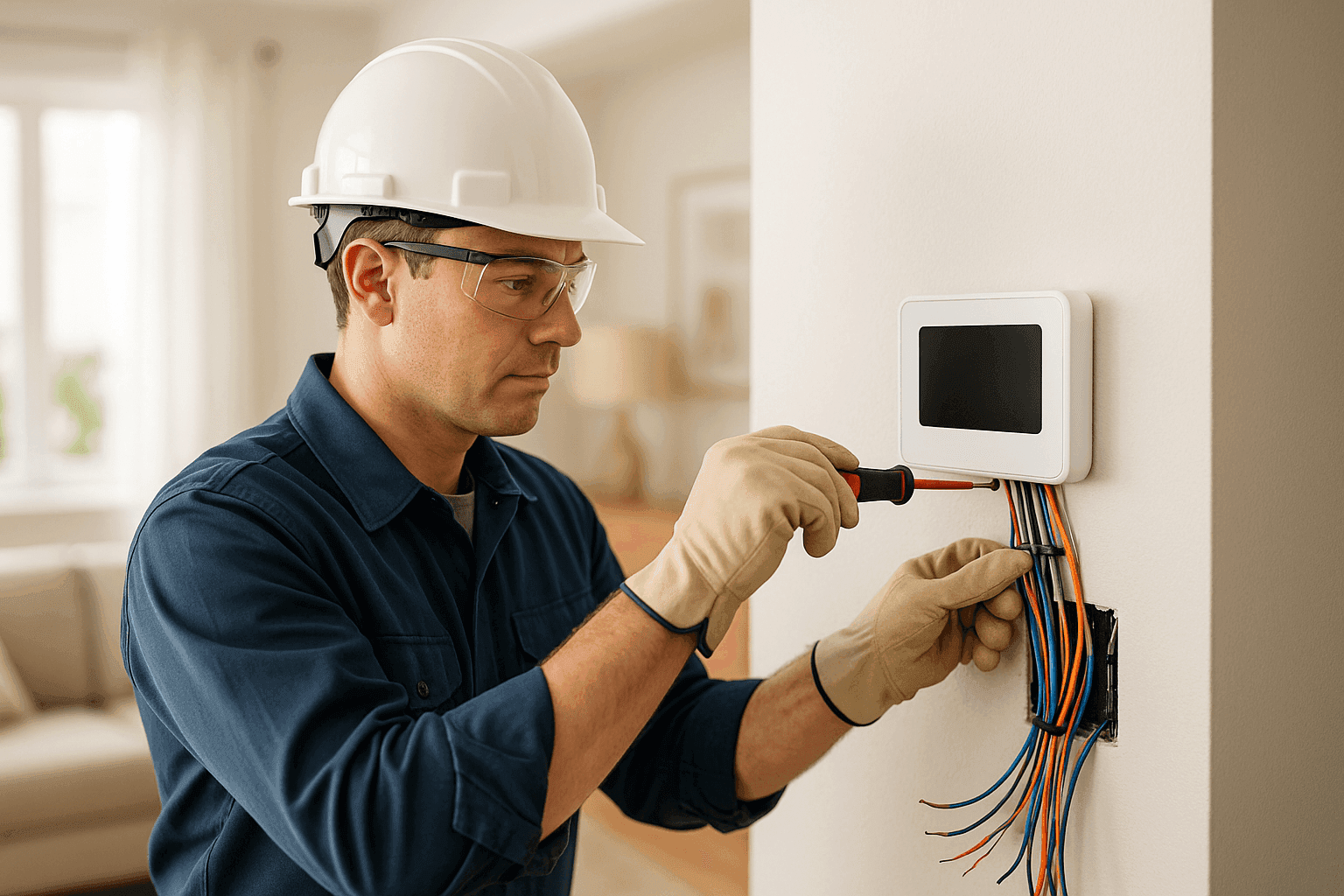
Smart devices are everywhere. Thermostats that learn your schedule. Lights that know when you’re home. Doorbells that see who’s there before you even get off the couch. But here’s the catch: getting your home truly “smart-ready” means looking behind the walls—where the wiring lives.
At Heintz Electric, we help homeowners see beyond the shelf appeal. It’s not just about installing gadgets. It’s about making sure your home’s electrical backbone is safe, up-to-date, and ready for whatever’s next.
What is Home Automation? 🤖
Home automation is like giving your house a brain. It lets you control lights, locks, climate, security—even your pool pump or coffee maker—from a phone or voice command. But for this magic to work smoothly, your wiring needs to communicate with all these smart systems.
Think of your home like a busy train station. Each device is a train. The wiring? That’s the track. If the track isn’t built for high-speed trains, things slow down—or derail.
Home automation isn’t just a luxury anymore. It’s about safety, convenience, and saving energy. The right setup can lower utility bills and even boost your property value.
Wiring Requirements
Not all wires are created equal. Some older homes have wiring as old as grandpa’s radio—great for a lamp, not so great for a Wi-Fi thermostat.
Common Upgrades Needed
- Dedicated circuits: High-powered devices (like smart ovens or HVAC controls) often need their own route to the breaker panel.
- Low-voltage wiring: Many smart devices (cameras, sensors, doorbells) run on low voltage. This means special cables, separate from your main electrical lines.
- Data cabling: Think Cat5e or Cat6 for fast, reliable connections—because not everything in a smart home can run on Wi-Fi alone.
- Neutral wires: Many smart switches need a neutral. Old houses may not have them at every switch box.
A professional electrician can spot these needs right away. They’ll help you avoid headaches down the road—like flickering lights, Wi-Fi dead zones, or blown fuses.
Planning for Growth 🚀
Today, it’s a smart door lock. Next year, maybe a full home theater or EV charger. The trick? Plan for what’s coming, not just what’s here.
Tips for Future-Proofing
- Install extra conduit: It’s like leaving an empty tunnel. You can pull new wires later without ripping up walls.
- Choose flexible hubs: Some automation systems talk to more brands than others. Look for open standards (like Z-Wave, Zigbee, or Matter).
- Label everything: Future you will thank you when adding new devices.
Homes that plan ahead are less likely to need costly rewiring as technology evolves. At Heintz Electric, we always ask: “What’s next?” before running the first wire.
Compatibility Matters
Not every smart gadget plays nice with every electrical setup. Some need constant power. Others need special low-voltage feeds. A mismatch can mean wasted money—or devices that just don’t work.
- Check device requirements before buying.
- Ask your electrician to review your panel capacity.
- Consider future upgrades—like solar panels or battery backups.
A quick check now saves a big headache later.
Low-Voltage Systems: The Heart of Smart Homes
Low-voltage systems are like the nervous system for your smart home. They handle things like:
- Security cameras
- Doorbells
- Motion sensors
- Speakers
- Ethernet and data
These wires are lighter, safer, and can often be run during renovations without major demo. But they still need to be installed to code. That’s where licensed electricians come in.
Why Professional Installation is Key 🔧
It’s tempting to DIY. There are YouTube videos for everything. But home automation wiring is a bit like plumbing: if you get it wrong, the mess can be bigger than you think.
What a Pro Brings
- Code expertise: The National Electrical Code (NEC) is updated every three years. Professionals keep up.
- Safety: Proper grounding, surge protection, and fire prevention.
- Permits and inspections: Many projects legally require them.
- Troubleshooting: If something’s not working, a pro knows where to look.
The right electrician can also help you avoid voiding device warranties or home insurance by cutting corners.
Safety First—Always
Electricity isn’t forgiving. A small mistake can lead to shocks, fire, or ruined equipment. That’s why every reputable electrician follows strict safety standards, like those from the Electrical Safety Foundation International (ESFI) and the NEC.
Quick Safety Checklist
- Only use UL-listed devices and wiring.
- Never overload circuits.
- Install surge protection for sensitive electronics.
- Test outlets and breakers regularly.
If you’re ever unsure, call a professional. It’s better to ask twice than risk your home and family.
DIY or Call a Pro?
Some projects are okay for handy homeowners—like swapping a smart bulb. But replacing switches, running new wiring, or installing panels? That’s pro territory.
- Okay for DIY: Plug-in devices, screw-in bulbs, setting up Wi-Fi hubs.
- Call the pros: New outlets, circuit upgrades, panel changes, low-voltage runs inside walls.
When in doubt, ask. The risks of getting it wrong outweigh the cost of getting it right.
What to Expect When the Electrician Arrives
A good electrician doesn’t just show up with a toolbox. They start with questions:
- What’s your vision for automation?
- Are there future upgrades planned?
- How old is your wiring?
- Any recent electrical issues?
They’ll inspect your panel, test circuits, and map out where new wiring runs will go. Expect some drywall work (sometimes), but a clean, code-compliant job at the end.
Prevention & Maintenance Tips
Once your smart home is wired and humming, keep it that way:
- Schedule annual electrical safety checks.
- Test GFCI and AFCI outlets monthly.
- Update device firmware regularly.
- Watch for warning signs—like flickering lights or frequent breaker trips.
Maintenance isn’t just about avoiding repairs. It’s about peace of mind, every time you hit that “Goodnight” button.
Costs & Time Factors
Upgrading wiring for home automation varies—by house age, number of devices, and what’s already in place.
- Expect to invest: A few hundred dollars for minor additions. Larger rewiring or panel upgrades can run higher.
- Most jobs: 1–3 days, depending on complexity.
- Pro tip: Bundle projects (like adding outlets and data cabling) to save on labor and disruption.
A clear estimate upfront—plus knowing what’s included—helps avoid surprises.
When It’s an Emergency
Burning smells? Sparking outlets? Complete loss of power? Don’t wait.
Call an electrician immediately. Some issues can’t wait for a Monday appointment. At Heintz Electric, we offer Home Automation for just these reasons.
Common Mistakes Homeowners Make
- Installing devices without checking wiring compatibility.
- Overloading circuits with too many “smart” gadgets.
- Skipping surge protection.
- Using extension cords as permanent solutions.
A little planning—and a quick chat with your electrician—prevents most problems.
Signs Your Wiring Needs an Upgrade
- Frequent breaker trips
- Warm or discolored outlets
- Flickering or dimming lights
- Devices losing connection or power
- Outdated breaker panels (especially those over 30 years old)
If you spot these, it may be time for a safety inspection or upgrade.
Timeline & Disruption: What to Expect
Worried about mess? Most wiring upgrades are less invasive than you think. Pro electricians fish wires through walls with minimal holes, patch up as they go, and clean up afterward.
- Basic jobs: Half a day.
- Whole-home rewiring: Up to a week, but usually done one area at a time so you’re not left in the dark.
Ask in advance about the schedule—good planning means less downtime.
Materials & Equipment: What’s Needed
- High-quality copper wiring (for power)
- Low-voltage cabling (Cat5e/Cat6, speaker wire)
- Smart switches, outlets, and hubs
- Surge protectors
- Conduits (for future-proofing)
- Proper labeling supplies
Always use components rated for residential use and certified to meet safety standards.
Wiring & Circuits: The Backbone of Automation
A solid foundation matters. If your wiring isn’t up to the task, even the smartest device can let you down. For more on how we handle Wiring & Circuits, check out our dedicated service page.
Local Resources for Smart Home Wiring
If you’re curious about safety codes or home automation tips, the National Electrical Code (NEC) and ESFI are great starting points. Local building departments can also advise on permits or inspections in your area.
In fact, if you’re looking for an electrician company in Providence, our local team at Heintz Electric can help you navigate every step—check out our Providence electrician company page.
Ready to make your home smart-ready—and safe for the future? Call Heintz Electric now — or reach us anytime at 877-315-8745 .