How to Install a Dedicated Circuit for Your Home Office
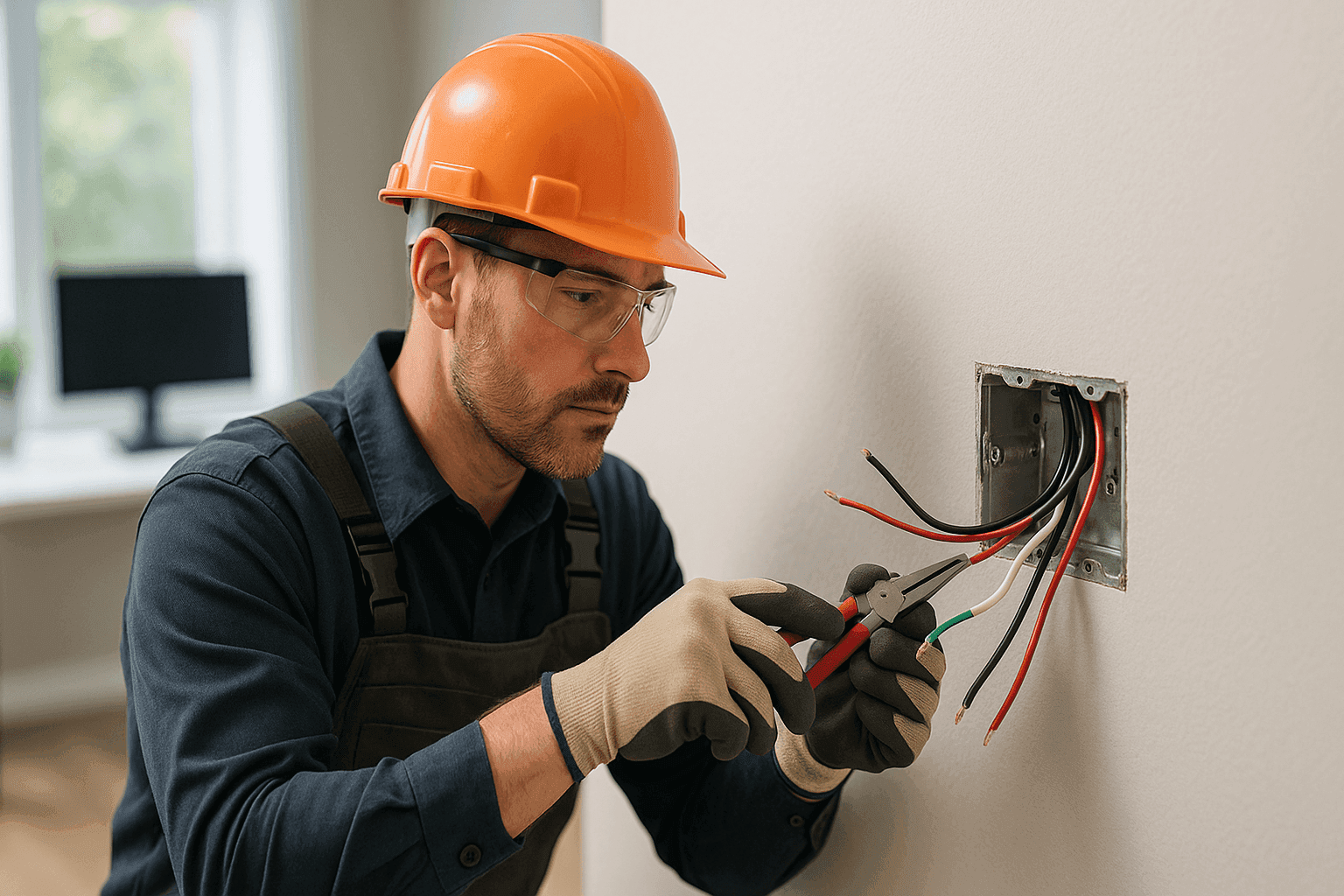
Do you ever hear the hum of your computer, feel the warmth from your printer, and wonder if your home office is safe? You’re not alone. With more people working from home, the demand on household electrical systems is at an all-time high. That’s where a dedicated circuit steps in—quietly, reliably, and with a purpose.
At Heintz Electric, we help homeowners create safe, efficient home offices. We’re here to walk you through why a dedicated circuit matters, how it’s installed, and what to expect when you call a pro.
Why Dedicated Circuits? ⚡
Think of your home’s electrical system as a city’s network of roads. A dedicated circuit is like a private lane, reserved just for your high-powered office gear. When your computer, printer, or other sensitive equipment shares a circuit with lights or appliances, you risk traffic jams—overloads, tripped breakers, or worse.
Key benefits:
- Safety: Dedicated circuits reduce the risk of electrical fires and overheating.
- Reliability: Sensitive electronics receive steady power, minimizing crashes or data loss.
- Equipment Protection: Power surges and voltage drops are less likely to damage costly devices.
- Code Compliance: Meeting National Electrical Code (NEC) requirements is essential for insurance and resale.
Installing a dedicated circuit isn’t just a nice-to-have—it’s a critical move for anyone serious about working from home.
Common Home Office Electrical Problems
You might notice:
- Lights dimming when you turn on your printer.
- Circuit breakers tripping during video calls.
- Devices overheating, or random shutdowns.
These are all signs your current wiring may be overloaded. Ignoring them is like driving on a flat tire—eventually, something gives.
Quick Safety Checklist
Before plugging in more tech, ask yourself:
- Are outlets warm to the touch?
- Do you smell burning or see scorch marks?
- Does your breaker trip unexpectedly?
If you answer “yes” to any, stop and call an electrician. Safety first.
DIY vs. Call a Pro
Installing a circuit is not a weekend project. It’s more like surgery for your home. Yes, you can find instructions, but the risks—fire, shock, or expensive damage—are very real. Plus, local codes often require a licensed electrician for new circuits.
Leave it to professionals. We have the tools, training, and insurance to do it right.
Installation Steps
Here’s what goes into a proper installation:
1. Assessment & Planning
A qualified electrician evaluates your current panel, calculates the load, and determines the best path for new wiring. This includes:
- Checking panel capacity.
- Deciding circuit size (typically 15 or 20 amps for offices).
- Mapping the safest, most efficient route.
2. Permits & Code Compliance
Electrical work must follow NEC standards, plus local building codes. Permits aren’t just red tape—they protect your home’s value and safety.
3. Running the Wiring
We route new wires from your panel to the office, avoiding hazards (like plumbing or insulation). All connections use the right gauge wire, secured in metal boxes.
4. Installing the Outlet
A dedicated outlet, often marked, is installed where you need it. It’s designed for your main office gear and nothing else.
5. Panel Work
We connect the new circuit to your main panel, labeling everything clearly. Breakers are tested for correct amperage and function.
6. Inspection
A city or county inspector verifies the work meets code. You get peace of mind—and paperwork for your records.
Professional Assessment
Every home is unique. Age, layout, and previous DIY work all affect the plan. An on-site assessment uncovers:
- Hidden issues (like old aluminum wiring or undersized panels).
- Future needs (think printers, routers, or even EV chargers).
A professional will also suggest upgrades if your system is near capacity. At Heintz Electric, we want your home office to grow with you.
Wiring & Circuits: What the Pros Know
Dedicated office circuits aren’t just about more outlets—they’re about smarter, safer power. Electricians look for:
- Load balancing, to prevent brownouts elsewhere.
- Surge protection, for sensitive equipment.
- GFCI/AFCI outlets where code requires.
Need to run data cables or phone lines too? We handle Phone, Internet & Data Cabling alongside your power upgrades for a seamless setup.
How Long Does It Take?
Most installations are done in a day. Older homes or complex layouts might take longer. We minimize disruption, clean up our work, and test everything before we leave.
Will It Disrupt My Routine?
We coordinate with you. Power may be off for a short period, but we work efficiently to keep your day on track. Clear communication is part of the job.
What Does It Cost?
Costs vary, but range depends on:
- Distance from panel to office.
- Home age and access.
- Permitting fees.
We provide upfront estimates—no surprises.
Prevention & Maintenance Tips
- Don’t overload extension cords or power strips.
- Schedule annual electrical safety checks.
- Watch for changes in device performance.
Regular maintenance keeps your system running strong.
Common Mistakes to Avoid
- Using undersized wire.
- Skipping permits.
- Ignoring code updates (like AFCI requirements for home offices).
Cutting corners leads to bigger problems down the road.
When It’s an Emergency
If you smell burning, see smoke, or lose power suddenly, call an electrician immediately. Don’t troubleshoot a live electrical system yourself.
Frequently Asked Questions
Q: Can I use an existing outlet for my office setup?
A: Not safely. Office equipment needs steady, isolated power.
Q: How do I know if I need a new circuit?
A: If your office gear trips breakers or dims lights, call for an assessment.
Q: Do I need surge protection?
A: Yes. Many insurance policies now require it for sensitive electronics.
Planning for the Future
Home offices are here to stay. Installing a dedicated circuit now prepares you for future upgrades—bigger monitors, faster computers, or even a 3D printer.
If you’re in the market for an electrician company in Kalispell, Heintz Electric is ready to help keep your workspace safe and reliable.
Code, Safety, and Peace of Mind
The National Fire Protection Association (NFPA) and the National Electrical Code (NEC) set the standards for wiring safety. We follow their guidelines so you can focus on your work, not your wiring.
Ready to Upgrade Your Home Office?
Don’t wait for a brownout to ruin your workflow. Protect your investment, your safety, and your peace of mind.
Call Heintz Electric now — or reach us anytime at 877-315-8745 .