Phone, Internet & Data Cabling: Wiring for a Connected Home
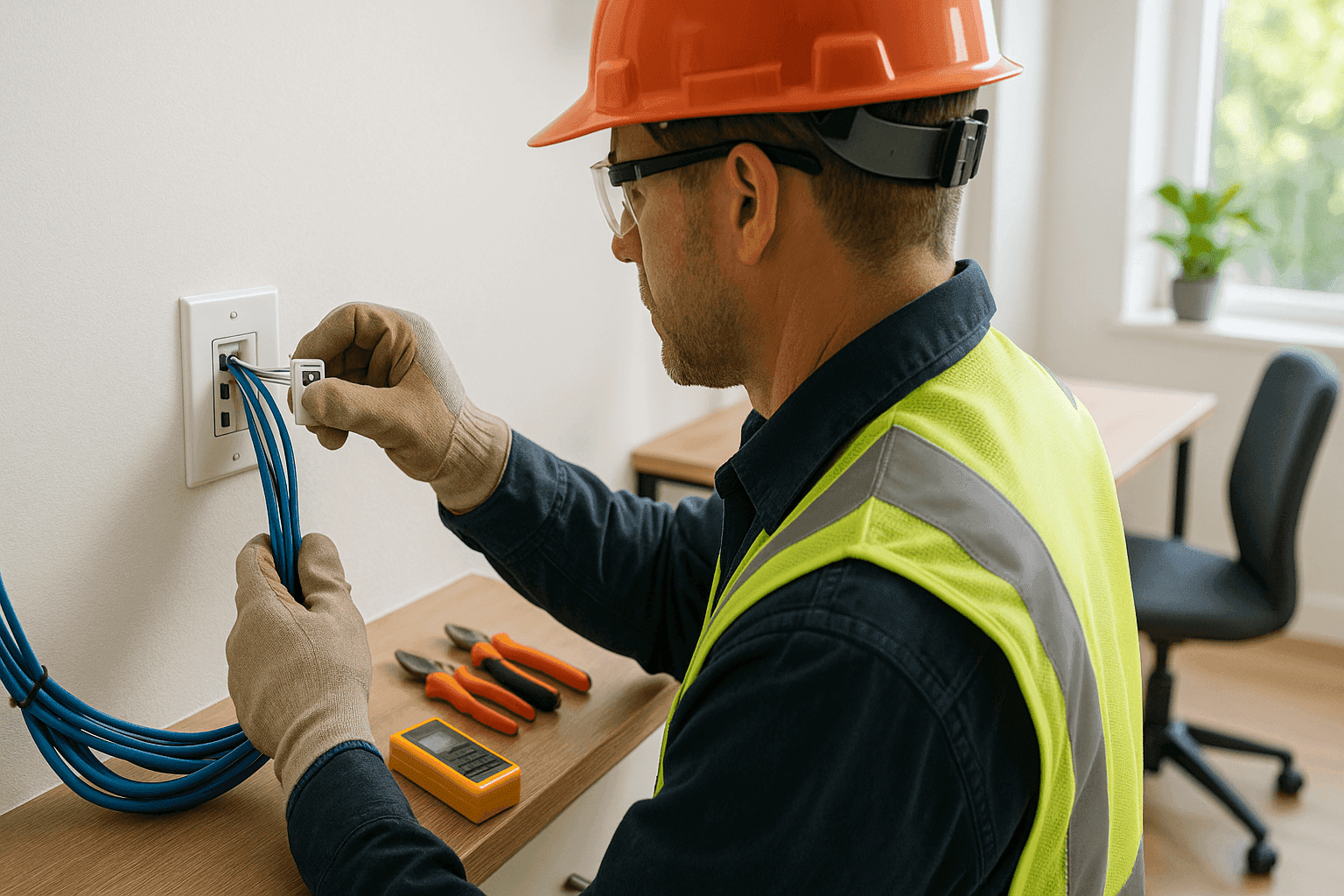
Imagine streaming a movie with no lag. Video calls that don’t freeze mid-sentence. Smart devices that just work, all the time. That’s the promise of a well-wired home—one where every phone, internet, and data cable is laid out with care.
At Heintz Electric, we see it every day: the difference great cabling makes. A tangle behind the TV or “dead zones” in the house? Those are more than nuisances—they’re signs your home needs professional attention. You deserve a network that’s reliable, organized, and safe.
What is Structured Cabling? 📦
Think of structured cabling as the backbone of your connected home. Like the skeleton in your body, it supports everything else: your phone lines, internet, streaming, gaming, even smart appliances.
- Not just wires: Structured cabling includes cables, wall plates, jacks, patch panels, and more.
- One system, many uses: Internet, phone, TV, security cams, and intercoms can all run on one organized network.
- Built to last: Done right, it keeps up with new tech, higher speeds, and future upgrades.
According to the National Electrical Code (NEC) and industry standards (like TIA/EIA), proper low voltage wiring isn’t just about performance—it’s about safety, too. Shortcuts can mean fires, shocks, or endless headaches later on.
The Problem: Messy, Outdated, or DIY Cabling
We’ve all seen the “spaghetti monster” behind an entertainment center. Wires twisted together. Extension cords you can’t trace. Or worse—cables run through doorways or under rugs. Besides looking messy, these setups can:
- Cause signal loss or slow speeds
- Create tripping hazards
- Overheat or spark, especially if overloaded
- Make troubleshooting nearly impossible
When your family relies on WiFi, streaming, and security, the stakes are high. A pro electrician makes all the difference.
Quick Safety Checklist
Before planning any upgrades, check your existing setup:
- Are there any exposed wires or cracked wall plates?
- Do you have extension cords running under carpets?
- Are outlets warm to the touch or sparking?
- Is your wireless signal weak in certain rooms?
Any “yes” answers? It’s time to call a professional for a Phone, Internet & Data Cabling assessment.
DIY vs. Call a Pro
Installing cabling might look easy, but there’s more beneath the surface.
- DIY pitfalls: Drilling through studs, running cables in walls, and making solid connections can be tricky. Mistakes often mean damage, poor performance, or even code violations.
- Pros bring: The right tools, up-to-date code knowledge, and experience with everything from Low Voltage Systems to high-speed internet wiring.
If you want fast, stable internet everywhere—in the home office, basement, or backyard—professional installation is the surest route.
What Pros Do On Arrival
A licensed electrician does more than run cable. Here’s what to expect when Heintz Electric arrives:
- Assessment: We check your current wiring, test signal strength, and locate trouble spots.
- Design: We map out the best routes, avoiding water pipes or power lines.
- Material selection: We choose cable types that fit your needs (Cat6, coax, fiber, etc.), plus durable wall plates and connectors.
- Installation: Cables are routed through walls, ceilings, or crawlspaces—never exposed or sloppy.
- Testing: Every outlet and jack is tested for speed, reliability, and safety.
Planning Your Network
Good cabling starts with a plan. Think of it like building roads for your digital traffic.
Map the Routes
- Where will you need access? Home office, bedrooms, kitchen, garage, even the patio.
- Central hub: Most networks need a “home base” (like a utility closet), where the modem, router, and main panel live.
- Shortest, safest paths: Cables should avoid high-voltage lines, water pipes, and sharp bends.
Think Ahead
- Will you add a home theater, security cameras, or smart devices later?
- Plan extra ports and pathways now to avoid tearing up walls later.
Wall Plates Matter
- Use high-quality, labeled wall plates for each room.
- Avoid tangled cords on the floor. Mounted outlets keep everything neat.
Installation Tips for Homeowners
Even if you hire an electrician, being informed helps you make better choices. Here’s what we recommend:
- Ask about cable types: Cat6 is the new standard for speed and reliability.
- Request labeled jacks: Clear labeling now means fewer headaches later.
- Bundle and secure: Cables should be grouped and attached, not loose or sagging.
- Allow for upgrades: Install conduit or “raceways” so you can add new lines later without tearing open walls.
- Request a “test run”: Make sure every port works before the job is done.
Safety, Organization, and Code Compliance
Safety isn’t just a buzzword—it’s a requirement. The NEC sets strict rules for low-voltage wiring. For example:
- Never mix power and data cables in the same conduit.
- Use plenum-rated cables in air-handling spaces to reduce fire risk.
- Secure all cables with approved fasteners—not staples that could pierce the insulation.
A licensed electrician keeps your home safe, code-compliant, and ready for inspections.
Common Mistakes to Avoid
- Running cables too close to power lines: This causes interference and can be dangerous.
- Skipping surge protection: A lightning strike or power surge can fry your electronics.
- Overloading jacks: Too many splitters or adapters slow things down and create weak points.
- Ignoring future needs: Technology changes fast. Plan with tomorrow in mind.
Timeline & Disruption: What to Expect
Most homes can be wired for phone, internet, and data in a day or two, depending on size and complexity.
- Some drywall cutting may be needed. But pros minimize mess and patch as they go.
- You may be without phone or internet briefly. We coordinate so downtime is as short as possible.
- Noise and dust: There will be some, but cleanup is always part of the job.
Materials & Equipment
A professional brings more than a toolbox. Expect:
- Quality Cat6 or Cat6a cable for most modern homes
- Coaxial or fiber optic lines as needed
- Wall plates, keystone jacks, and patch panels
- Cable testers and tone generators for quick troubleshooting
Brands and materials may vary, but the goal is the same: a reliable, safe, and organized network.
Prevention & Maintenance
- Check outlets and wall plates regularly for wear, cracks, or loose connections.
- Keep cables dry and away from heat sources.
- Schedule regular inspections: Annual or before any major renovation.
Proactive care can prevent outages, slow speeds, or worse—dangerous faults.
Costs & Time Factors
Every home is different. Factors that affect cost and time include:
- Number of rooms and drops needed
- Wall material (drywall vs. plaster)
- Accessibility (finished vs. unfinished basements)
- Type of cable (Cat5e, Cat6, fiber)
- Any needed upgrades to panels or surge protection
A detailed quote from Heintz Electric ensures no surprises.
When It’s an Emergency
Sometimes, you can’t wait:
- If you smell burning, see sparks, or lose all connectivity
- Outlets or jacks are hot to the touch
- You’ve had a lightning strike or water damage
Our 24 hour service means help is always nearby for emergency electrical service or urgent Low Voltage Systems needs.
FAQ: Your Cabling Questions Answered
Q: Do I need professional installation if I’m just adding one room?
A: Even a single run can cause headaches if not done right. Avoid risk by calling a licensed electrician.
Q: What’s the difference between Cat5e and Cat6?
A: Cat6 supports higher speeds and future-proofs your network. It’s our standard for most homes.
Q: Can I combine phone, internet, and TV in one cable?
A: Not usually. Each signal type needs its own path for best performance and safety.
Q: How do I know if my wiring is up to code?
A: Ask for an electrical safety inspection—or check with the National Electrical Code for guidance.
Signs of Trouble
Don’t wait for disaster. Watch for:
- Slow internet in certain rooms
- Frequent dropped calls or lost connections
- Buzzing or static on phone lines
- Discoloration or “burn” marks on outlets or wall plates
Any of these? Let us know.
Future-Proofing Your Home
Technology doesn’t stand still. Neither should your network.
- Ask about conduit or pathways for future upgrades
- Plan for more drops than you need today
- Consider smart home features, security, and EV chargers as part of your plan
With the right setup, your home will be ready for whatever’s next.
Why Organization Matters
A neat, labeled cabling system is like a well-organized toolbox. When you need to troubleshoot or add a device, it’s fast and easy. Messy, tangled wires? That’s a recipe for wasted time—and can even be a fire hazard.
Local Electrician Services Near You
If you’re searching for an electrician company that understands both the big picture and the small details, Heintz Electric is here to help. From planning to installation, our team wires your home for both today’s needs and tomorrow’s dreams.
Ready for a fast, reliable, and organized home network? Call Heintz Electric now — or reach us anytime at 877-315-8745 .