How to Upgrade Your Home for More Smart Devices
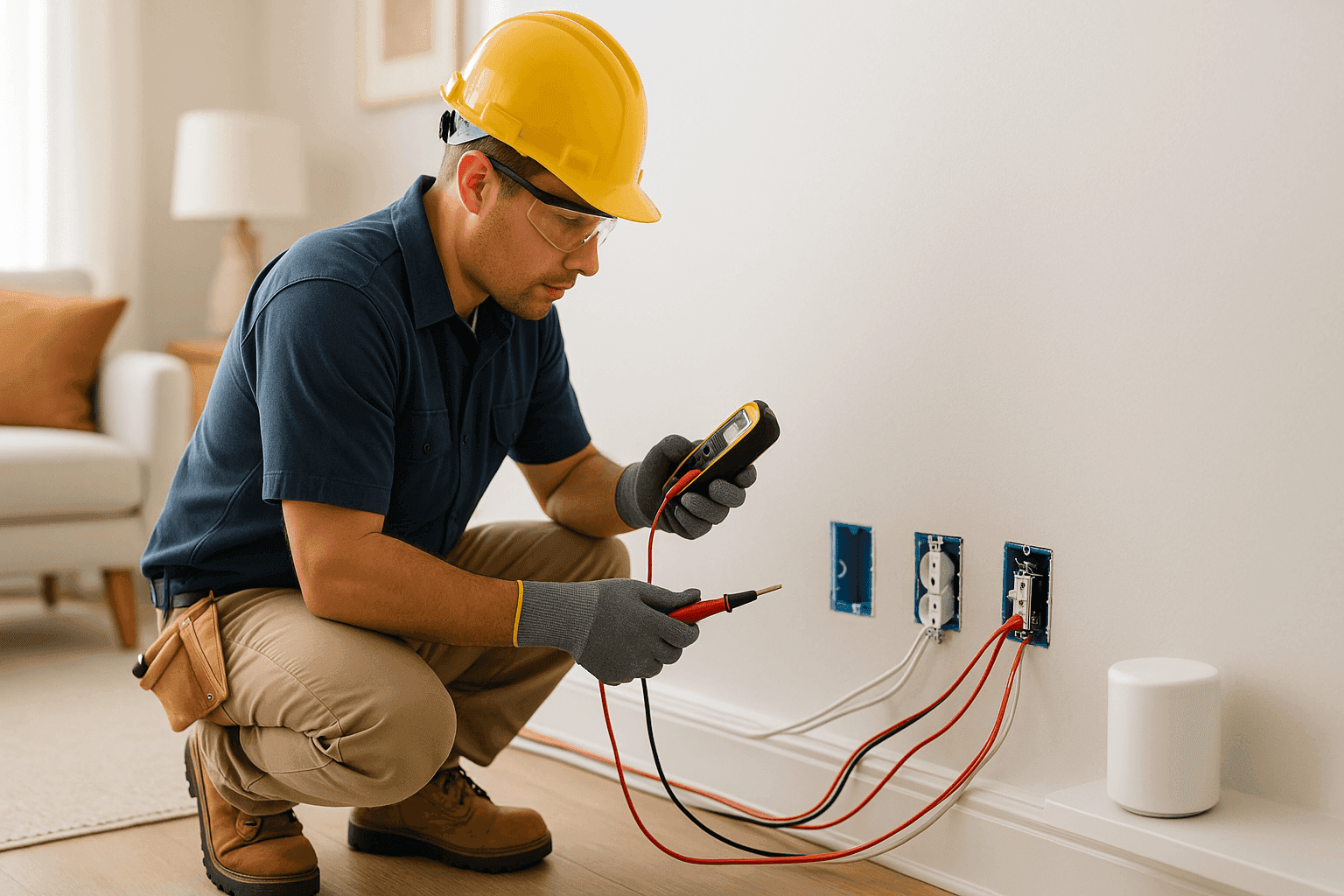
Is your home ready for a new wave of smart devices? Each year, more people swap out regular gadgets for smart lights, speakers, plugs, and security systems. It’s exciting—and can make life feel futuristic. But all these new plugs and connections need more than just Wi-Fi. They need safe, reliable power, too.
At Heintz Electric, we know what it’s like to want the latest tech to work seamlessly—without tripped breakers or overloaded outlets. Here’s how to get your home ready for smart living, safely and efficiently.
Smart Home Needs: The Electrical Basics
Before you add smart plugs, thermostats, cameras, or home hubs, pause. Every device you plug in draws power—some more than others. Your home’s original wiring and outlets may not have been designed for today’s tech-heavy lifestyle.
Think of your electrical system like a city’s roads. Too many cars on an old, narrow street? You’ll get traffic jams, accidents, or breakdowns. The same goes for electricity—crowded circuits and outdated outlets spell trouble.
What Are Smart Devices Drawing Power From?
- Outlets: Smart plugs, chargers, and hubs crowd them fast.
- Circuits: Too many devices on one line can overload it.
- Wiring: Older wiring struggles to keep up with modern needs.
- Panels and breakers: Extra demand can trip old breakers or overheat panels.
Signs Your Home Needs an Upgrade
How do you know your home’s not keeping up? Watch for these:
- Outlets that feel warm or spark
- Frequent breaker trips or blown fuses
- Dimming lights when using other devices
- Not enough outlets in key spots
- Using too many extension cords or multi-plug strips
If you notice these, it’s a warning sign—your electrical “roads” are jammed.
Upgrade Options: Powering Up for More Smart Devices ⚡
Upgrading for smart devices isn’t just about adding more outlets. Here’s what a modern home really needs:
1. Install Additional Outlets
Smart homes need outlets in new places—think hallways, closets, and high up on walls for cameras or sensors. Installing new outlets, especially with USB ports, makes charging and connecting easier.
2. Dedicated Circuits for Heavy Loads
Some devices—like smart fridges, EV chargers, or whole-home hubs—work best (and safest) on their own circuits. This prevents overload and keeps everything running smoothly.
3. Upgrade Your Panel and Breakers
Older panels can’t always handle today’s demand. Upgrading your breaker panel ensures your home can safely power all your tech—now and as you add more in the future.
4. Rewiring for Safety and Performance
If your home wiring is outdated, damaged, or aluminum (common in 1960s-70s homes), it’s time to rewire. Modern copper wiring, done right, reduces fire risk and supports high-power devices.
5. Surge Protection
Smart devices are sensitive. A whole-home surge protector shields everything from power spikes—helping your investments last longer.
6. Home Automation Hubs
Centralized wiring for automation systems keeps things tidy and reliable. It also makes expanding your system later a breeze. See our Home Automation page for more details.
7. Data and Low Voltage Cabling
Smart homes need more than power—they need reliable data. Upgrading for Ethernet, doorbell cameras, and intercoms ensures fast, secure connections.
8. Smart Lighting and Switches
Upgrading to smart switches or dimmers means less clutter and more control—no more wall warts or adapters.
Safety First: Code Compliance and Smart Homes
Every electrical upgrade must meet national and local safety codes. This isn’t just about rules—it’s about keeping your family safe. The National Electrical Code (NEC) sets the minimum standard for all home wiring. Your city or county may have even stricter rules.
Key safety tips:
- Don’t daisy-chain power strips
- Never cover outlets or cords with rugs or furniture
- Use tamper-resistant outlets for homes with children
For more, check the National Fire Protection Association (NFPA) guidelines.
Quick Safety Checklist
Before adding more devices, ask:
- Are my outlets grounded?
- Do my breakers trip often?
- Is my panel labeled and up to date?
- Any signs of buzzing, flickering, or discoloration?
If you answer “yes” to any problems above, stop and call a licensed electrician.
DIY vs. Call a Pro
Changing a bulb or plugging in a smart speaker? DIY is fine. But when it comes to wiring, new outlets, or panel upgrades, always call a professional. Mistakes here aren’t just inconvenient—they can be dangerous.
A licensed electrician protects you from electrical shock, fire, and expensive code violations. It’s like hiring a trusted mechanic for your car; you want it done right.
What Pros Do On Arrival
When you call Heintz Electric, here’s what to expect:
- Inspection of current wiring, panel, and outlets
- Testing for overloads, faulty connections, or unsafe wiring
- Recommendations for circuit upgrades, outlet placement, and surge protection
- Clear, upfront discussion of what needs upgrading and why
Future-Proofing: Designing for Tomorrow
Smart homes evolve fast. Maybe today you want smart lights and a speaker, but tomorrow it’s security cameras, EV chargers, or a home theater. Planning ahead saves money and headaches.
Professional electrical system design means your upgrades won’t be obsolete next year. We leave “room to grow”—extra outlets, blank circuits, future-ready panels—so you can add devices without tearing out walls.
Common Mistakes to Avoid
- Overloading a single outlet with too many smart plugs
- Running extension cords under carpets (fire hazard)
- Skipping surge protection
- Ignoring old, aluminum, or cloth-covered wiring
- Neglecting regular safety inspections
Timeline & Disruption: What to Expect
Most outlet upgrades and circuit additions only take a few hours. Larger projects—like panel upgrades or full rewiring—may take a day or more. We always work to minimize disruption: we’ll let you know what’s happening, when, and how it may affect your routine.
Costs & Time Factors
Simple outlet additions are affordable and quick. Larger projects, like rewiring or panel upgrades, require more planning and investment. But remember: you’re paying for safety, reliability, and future peace of mind.
When It’s an Emergency
If you smell burning, see sparks, or lose power to critical devices (like medical equipment), call for emergency electrical service immediately. Don’t try to fix it yourself.
Prevention & Maintenance Tips
- Schedule annual electrical safety inspections—especially if you’re adding new tech
- Test GFCI outlets monthly
- Replace damaged cords or plugs right away
- Use only devices and accessories rated for your home’s voltage
See our Wiring & Circuits page for more information on keeping your system safe and up to date.
Seasonal Considerations
Winter holidays? Summer pool parties? Adding seasonal lights or outdoor smart devices increases electrical load. Check your system before plugging in.
FAQ: Smart Home Upgrades
Do I need a bigger panel for smart devices?
If your panel is full or frequently trips, yes. More devices mean more circuits.
Can I add outlets anywhere?
Not always. Outlets must be installed according to code for spacing, height, and grounding.
Is surge protection really necessary?
Absolutely. Power surges can destroy sensitive electronics in a flash.
How often should I have my wiring checked?
Every 3–5 years, or before major upgrades.
Ready for More? Let’s Power Up Your Smart Home
Upgrading for smart devices is about more than just convenience—it’s about comfort, safety, and peace of mind. Whether you need extra outlets, new circuits, or a future-ready panel, Heintz Electric is here to help.
If you’re looking for an electrician who understands smart homes, reach out today.
Call Heintz Electric now — or reach us anytime at 877-315-8745 .